

Say you want to know whether AI Max is worth turning on for a campaign. The “correct” way to find out, earlier, was to clone the campaign, mirror every setting by hand, wait out a ramp-up period, and hope nothing drifted between the two copies while you weren’t looking. By the time you had a clean answer, the quarter had moved on. Google quietly fixed that with AI Max Experiments
TL;DR
Google Ads now lets advertisers test AI Max for Search campaigns using Experiments. Instead of enabling AI Max across your campaigns immediately, you can compare its performance against your existing Search campaign and evaluate metrics such as conversions, CPA, ROAS, search term quality, and lead quality before making a permanent decision.
AI Is Powerful—But Should You Trust It Immediately?
Google Ads has steadily moved toward AI-driven optimization. Features like Smart Bidding, Broad Match, Automatically Created Assets, and Performance Max have shifted campaign management from manual adjustments to machine learning.
AI Max continues that evolution by bringing Google’s AI capabilities directly into Search campaigns.
But here’s the challenge:
Not every account behaves the same way.
A feature that increases conversions for one advertiser might generate lower-quality leads, expand into less relevant search queries, or impact profitability for another. That’s where AI Max Experiments fits into the bill
A Quick Recap About AI Max
AI Max is not a separate campaign type; it is an AI-powered optimization layer that you can toggle on within your existing Search campaigns. It is designed to use Google’s machine learning to improve performance by:
- Expanding Reach (Search Term Matching): It uses broad match and “keywordless” technology to find relevant search queries beyond your existing keyword list, based on your landing pages, assets, and ad copy.
- Asset Optimization: It uses generative AI to create and customize ad headlines and descriptions to be more relevant to a user’s search intent.
- Final URL Expansion: It automatically directs users to the most relevant landing page on your website based on their search intent.
What Are AI Max Experiments?
AI Max Experiments are a new experiment type within Google Ads that allows advertisers to compare a standard Search campaign against the same campaign with AI Max enabled.
Instead of replacing your existing campaign, Google creates a controlled experiment where traffic is divided between:
- Control campaign (aka Control Arm) – your existing Search campaign
- Experiment campaign (aka Treatment Arm) – the same campaign with AI Max enabled
Because both campaigns run simultaneously under similar market conditions, you can measure the actual impact of AI Max instead of relying on assumptions.
AI Max experiments split traffic and budget within a single existing Search campaign — a control share with AI Max off, a trial share with it on — instead of requiring a cloned campaign. That means fewer setup errors, no sync drift between two campaigns, and a shorter ramp-up before results are trustworthy. They’re built specifically to test AI Max; for testing bidding strategies, audiences, or landing pages, you still need a custom experiment.
Why this is a different kind of experiment
Every Google Ads experiment you’ve run before — the ones covered in our Custom Experiments guide — works the same way: duplicate the campaign, change one thing in the copy, split traffic between the original and the clone, wait, compare. It’s reliable, but it’s slow, and it’s easy to accidentally break. Sync a negative keyword to one side and not the other, and your “clean” test isn’t clean anymore.
AI Max experiments skip the cloning step entirely. Instead of two campaigns, you get two arms of the same campaign — one still running with AI Max off, one with it on — sharing the same structure, budget pacing, and history. Nothing to keep in sync because there’s nothing to fall out of sync.
Setting one up
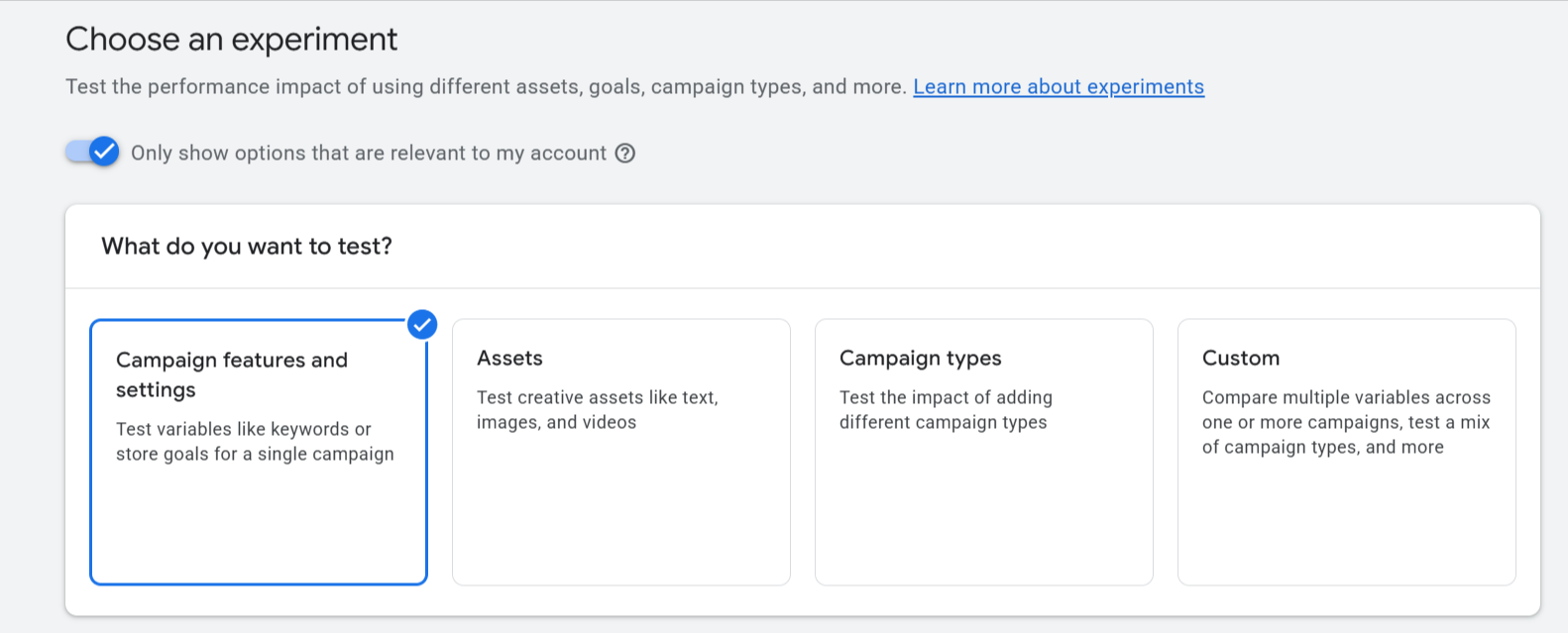
1. In Campaigns → Experiments, click the + button.
2. Choose Campaign features and settings, then AI Max for Search campaigns.
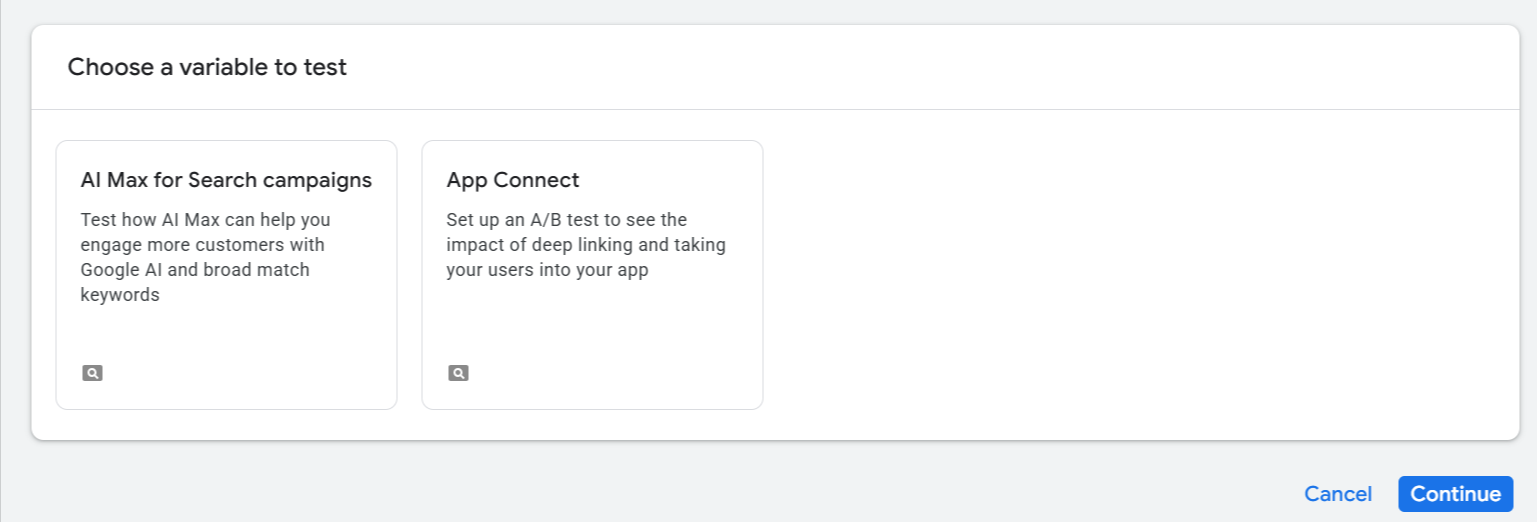
3. Pick the campaign, set your traffic split, and decide whether to auto-apply the change if the trial arm wins.
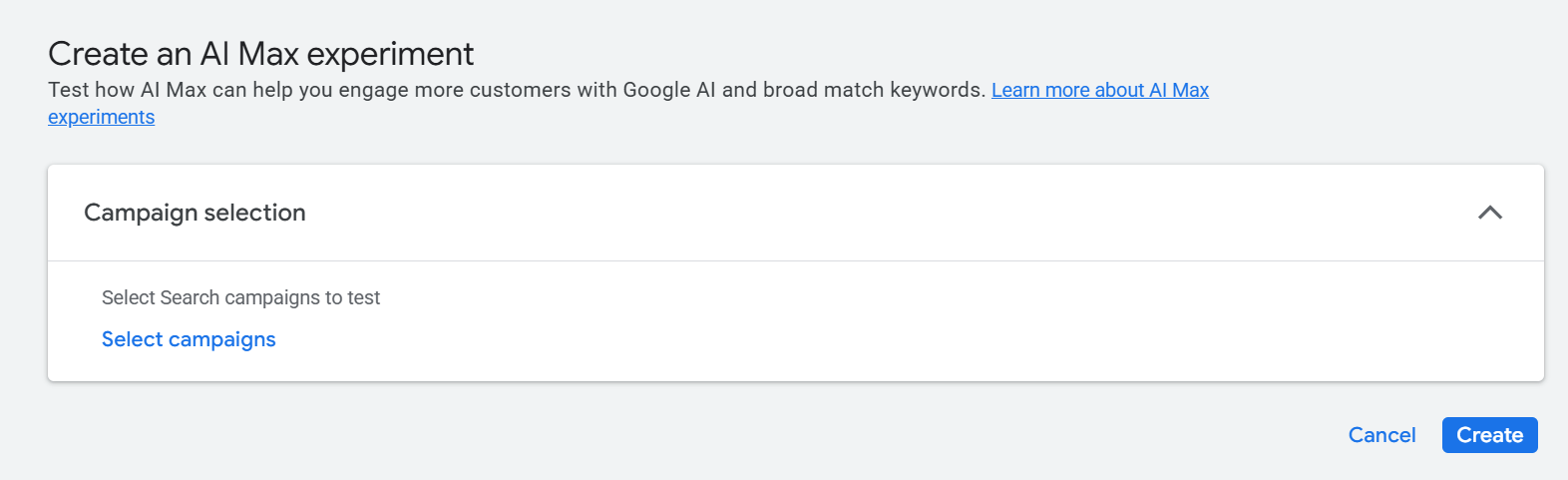
4. Most of the settings have been already done, the ones that need your intervention are “Experiment Name”, “Experiment Date”, “Where you want to show ads”, “Success Metrics”, “Auto Apply” (should you want to apply the settings once the experiment ends)
5. Launch. Unlike a custom experiment, this one starts automatically — there’s no separate “activate” step.
That’s the whole setup. No landing page to duplicate, no ad copy to re-paste, no negative keyword list to re-import.
Where it won’t work
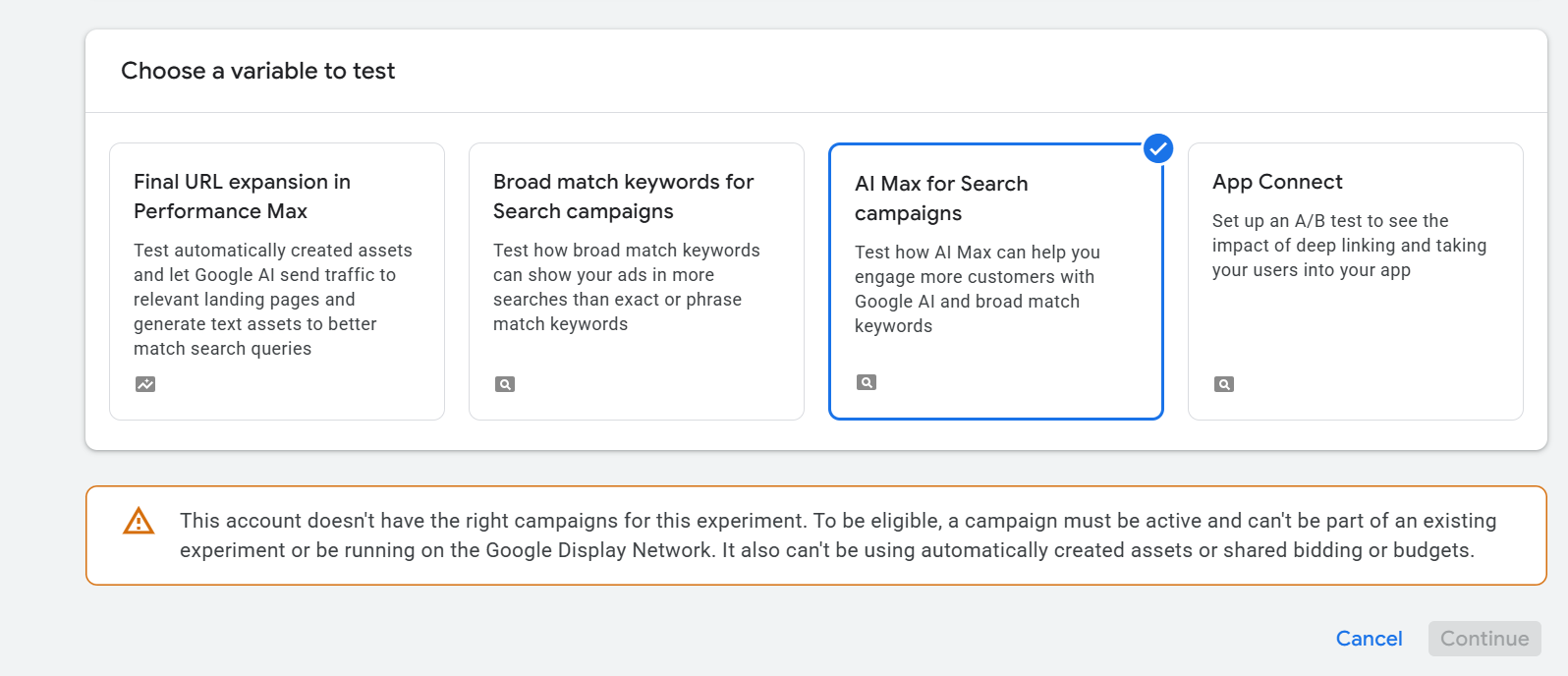
This flow has real guardrails, and they trip people up:
- Legacy features block it. If the campaign already has old-style text customization (formerly “automatically created assets”), brand inclusions/exclusions, or ad-group location inclusion turned on, you can’t launch an AI Max experiment on it through this flow. Build a clean campaign without those first.
- No Display-targeting Search campaigns. If the campaign serves on the Display network, this specific flow isn’t available.
- No portfolio bid strategies, shared budgets, or bidding exploration. Any of these on the campaign, and you’re blocked.
- One experiment at a time. A campaign already running an experiment can’t start another.
FAQs
Is an AI Max experiment the same thing as AI Max? No. AI Max is the feature (expanded matching plus AI-generated assets). An AI Max experiment is a specific testing mechanism for trying that feature on part of your traffic before switching it on for the whole campaign.
Can I test AI Max without duplicating my campaign? Yes — that’s the entire point of this flow. It splits traffic within the existing campaign rather than requiring a copy.
What happens if my campaign is blocked from the native flow? You can still test AI Max through a custom experiment with a manually cloned campaign — the older, slower method that was the only option before this feature shipped.
Does the experiment turn on both AI Max features at once? By default, yes — search term matching and asset optimization both activate for the trial arm. You can disable search term matching at the ad group level or asset optimization at the campaign level if you want to isolate one.
How long should I run one before trusting the result? Long enough to clear conversion lag and get meaningful volume on the trial arm — the ramp-up is shorter than a cloned-campaign experiment, but “shorter” still means checking keyword-level data before declaring a winner, not reading the topline number after a few days.
Can I set it to apply automatically? Yes, there’s an option at setup to auto-apply the change if the trial arm’s results are favorable when the experiment ends, so you don’t have to remember to come back and flip the switch manually.
Related reading:

Stop the wasted ad spend. Get more conversions from the same ad budget.
Our customers save over $16 Million per year on Google and Amazon Ads.